 Golden Tool
Know exactly where your money goes.
Set one monthly limit. Log each expense in about five seconds. Golden Tool shows your pace, what's safe to spend today, and where the rest went.
Get Golden Tool — $37$37 one-time12 months of access60-day money-back guarantee
Works on iPhone, Android and desktop. Instant access after checkout.
The month ends. The money is gone. Nobody knows where.
You didn't buy anything big. There was coffee, a ride, a bill, a quick order, a few things at the store. Each one felt small. Together they are the reason the last week of the month feels tight.
Most budgeting apps answer this with bank connections, categories you never asked for, and charts you stop opening after a week. Golden Tool asks for less, and that is the point.
One number. Five seconds a day.
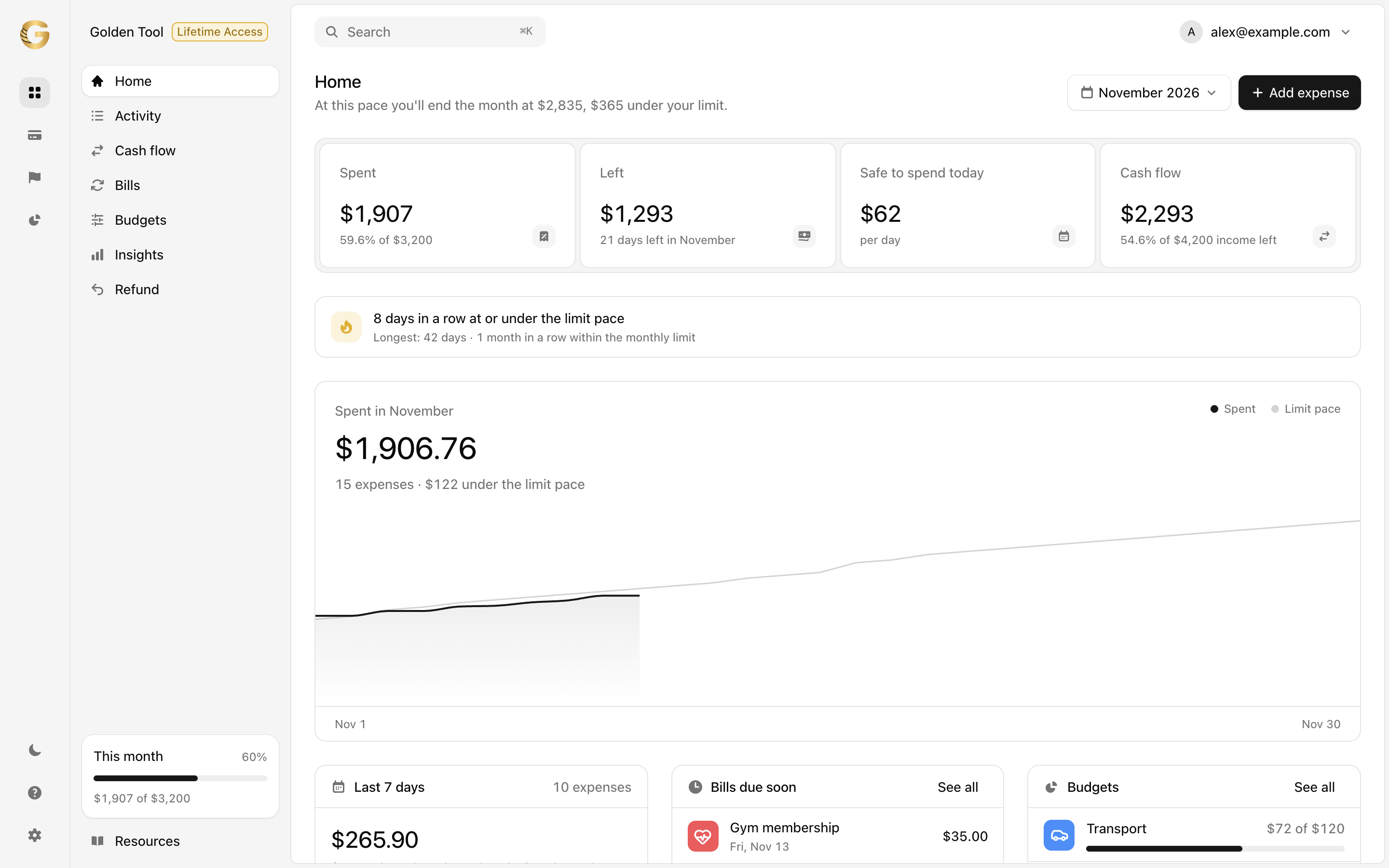
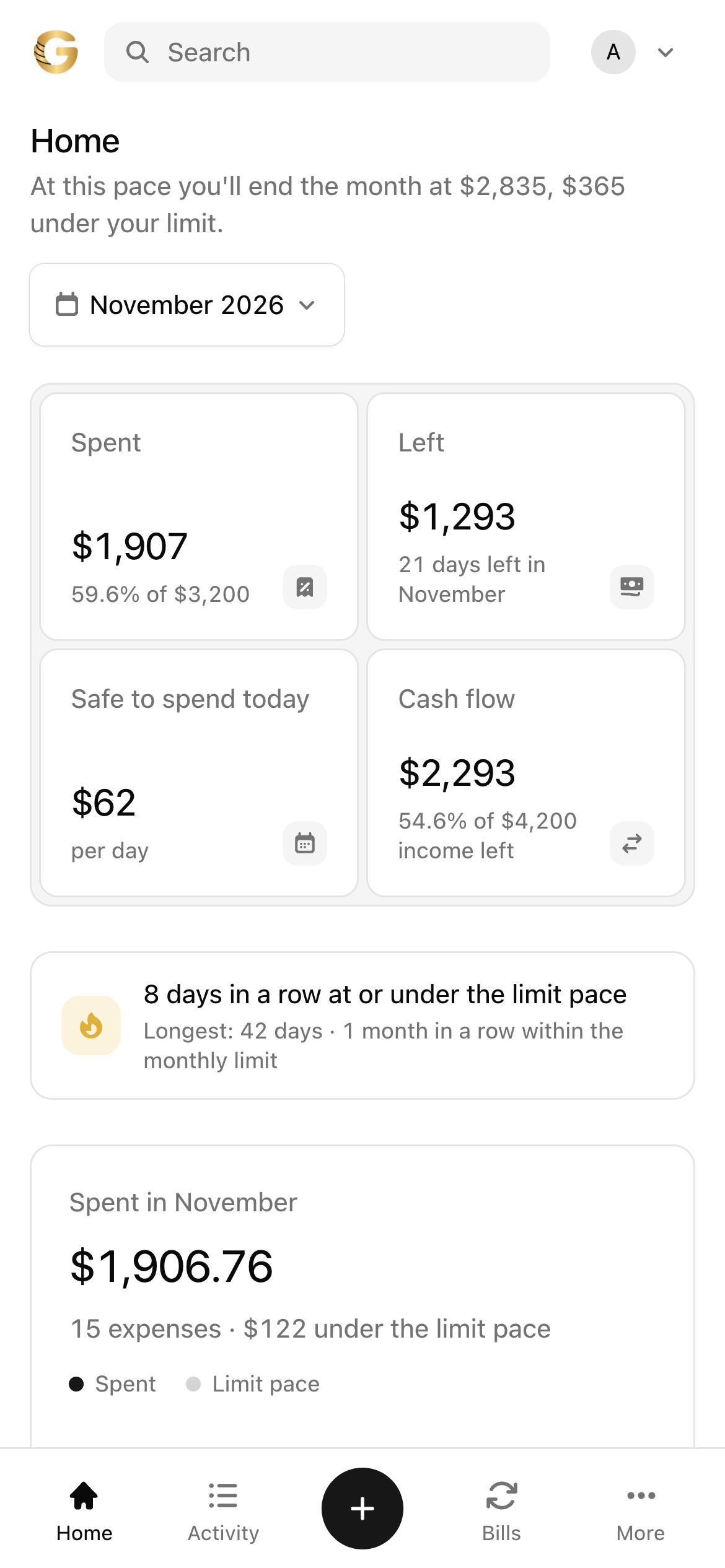
One screen that tells you the truth about this month.
Open it in the morning and you know your situation before your first purchase.
- Spent so far
- Running total against your monthly limit, with your pace beside it.
- Safe to spend
- What you can spend today and still finish the month inside the limit.
- Due soon
- Bills in the next seven days and the budgets closest to their cap.
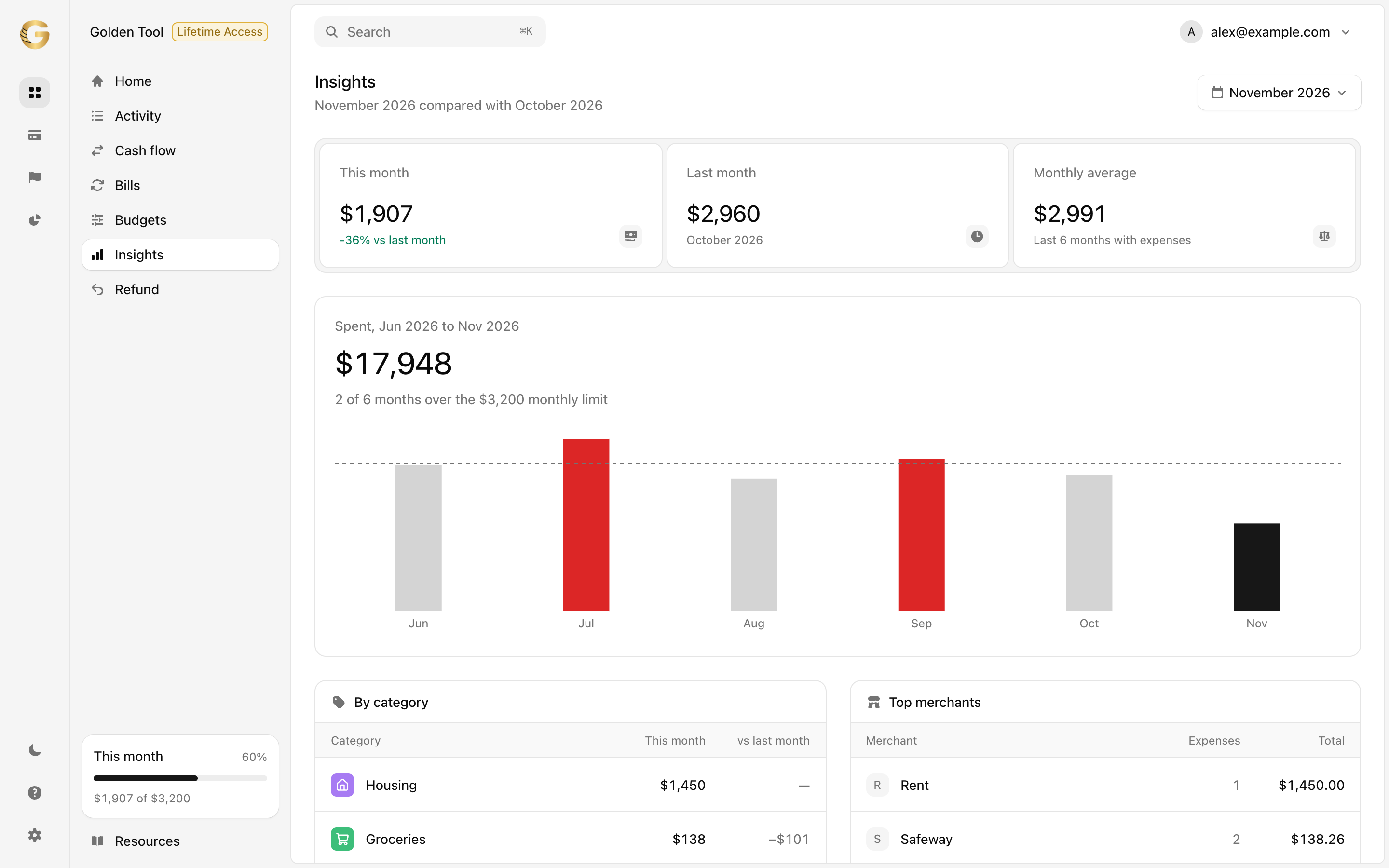
- Where it went
- Every category and merchant, compared with last month.
- Insights
- Six months against your limit, spending by weekday, biggest expense, no-spend days.
Three habits. None takes more than a minute.
- 1
Set your limit
Pick the amount you want to stay under this month. That's the only setup.
- 2
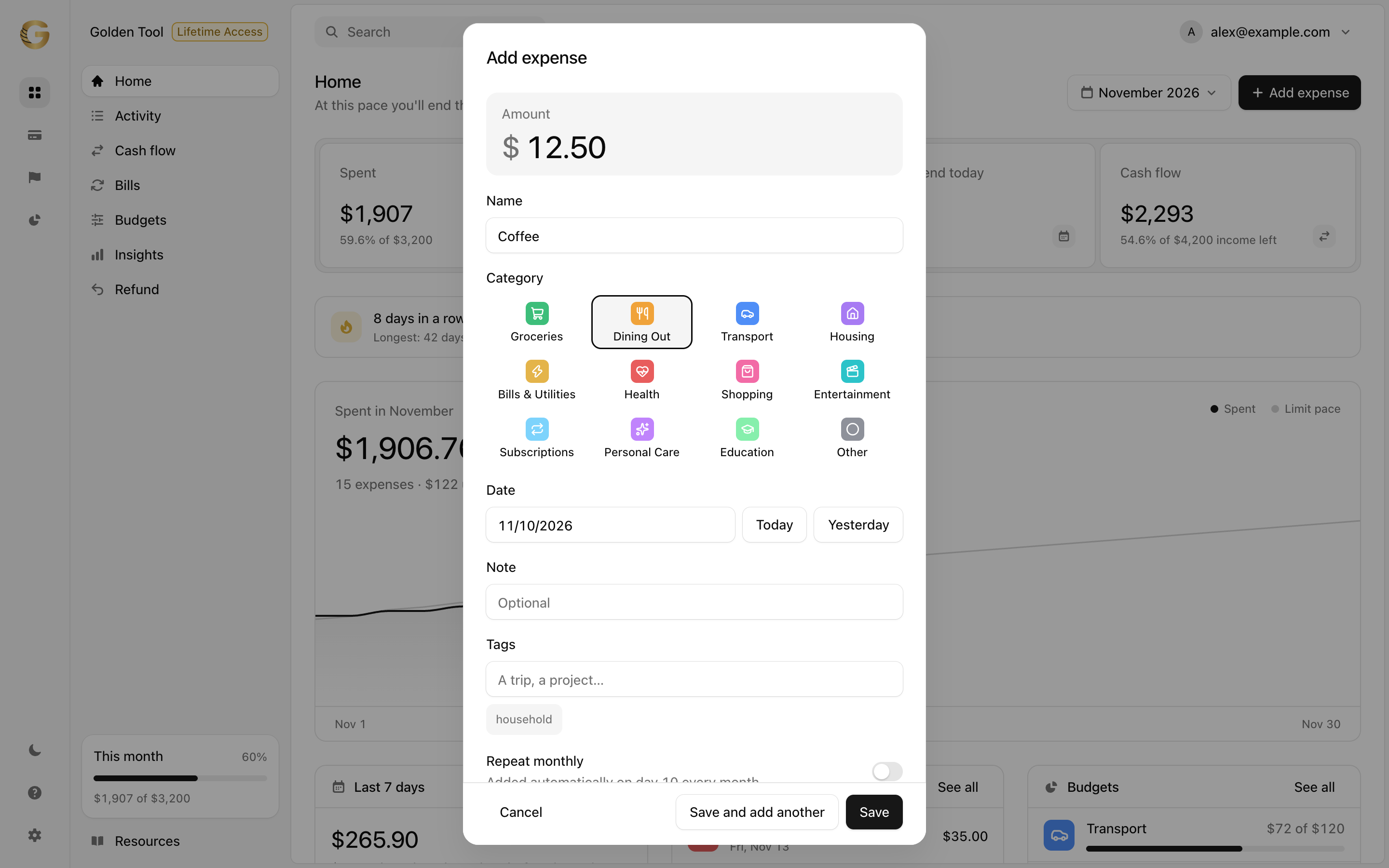
Log what you spend
Amount, category, done. About five seconds, from your phone or your computer.
- 3
Watch your pace
The dashboard shows if you're ahead or behind, and what's safe to spend today.
The whole tool. Nothing locked behind a bank login.
- Monthly limitand pace against it
- Safe to spend todayrecalculated every day
- 5-second expense loggingwith categories and notes
- Where it wentbreakdown by category
- Category budgetsa cap per category, with a bar that fills as you spend
- Bills and subscriptionsadded on their day, with what is due next
- Income and cash flowwhat came in, what went out, what is left
- Bank statement importbring in a CSV file; rows you already have are skipped
- Your own categories and tagsgroup a trip or a project across categories
- Category rulesa store goes to the category you picked last time
- Weekly recapthe last seven days against the seven before
- Streakdays in a row at or under your limit pace
- Insightsby weekday, by merchant, month against month
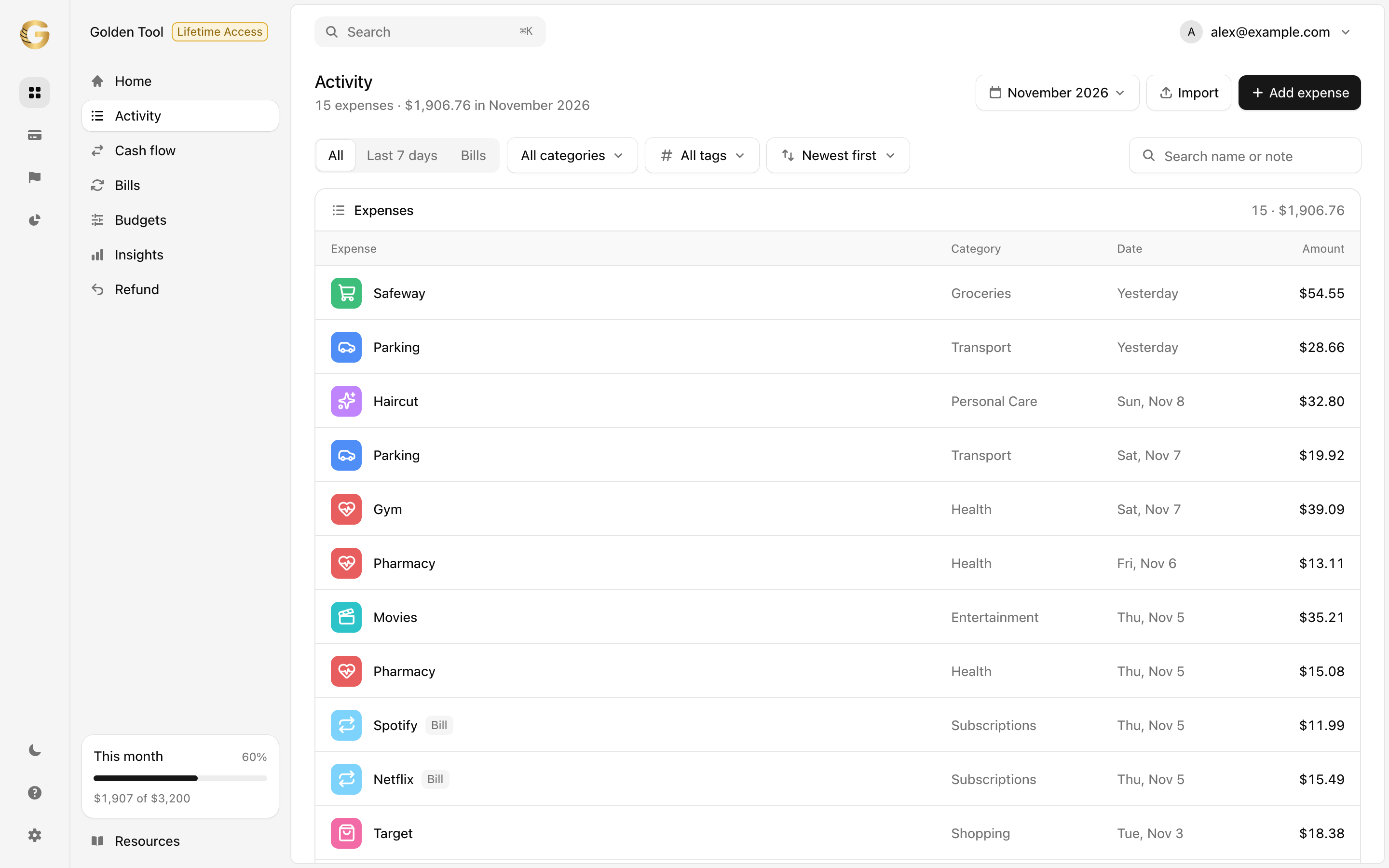
- Activity historyevery expense, searchable by month
- Phone and computersynced to your account
- Home-screen installopens like an app, no store needed
Optional add-ons inside the app: Golden Freedom (debt payoff plan), Golden Goals (savings goals) and Golden Vision (trends, net worth and yearly report). Lifetime Access is available at checkout.
Use it for two months. If it isn't for you, get your money back.
If Golden Tool doesn't fit the way you handle money, request a refund within 60 days of purchase and you'll receive the full amount. No forms to fill, no reasons required.
One payment. No subscription.
You pay once and use Golden Tool for the next twelve months on every device you sign in to. If you'd rather never think about it again, add Lifetime Access at checkout.
- Golden Tool
- $37
- Access
- 12 months included
- Lifetime Access
- optional at checkout
- Guarantee
- 60 days, money back
- Payment
- one time, secure checkout
Secure checkout. Instant access. 60-day money-back guarantee.
We wanted one number, and nothing else wanted to give it to us.
We built Golden Tool for ourselves first. Every budgeting app we tried kept getting heavier: bank logins, subscription tiers, notifications about notifications. What we actually opened the app for was a single question: how much can I spend today and still be fine at the end of the month?
So we made a tool that answers that question and stays out of the way. You set a limit, you write down what you spend, and the dashboard does the arithmetic. That's the core of the product, and we intend to keep it that way. Budgets, bills and the rest are there when you want them.
Nevian Enterprise LLC, Cheyenne, Wyoming
Before you decide
Does it work on iPhone and Android?
Yes. Golden Tool runs in the browser on any phone or computer. Open it in Safari or Chrome, sign in, and your data is the same on every device.
Do I need to install anything?
No. You can use it straight from the link. If you want it on your home screen, open the link on your phone and choose Share, then Add to Home Screen. It then opens like a regular app.
Is my data private?
Your expenses are stored in your own account, protected by your email and password. Golden Tool does not connect to your bank and has no access to your accounts. You enter what you choose to enter. If you import a statement file from your bank, it is read in your browser, and only the rows you choose are saved to your account.
What if I skip a day?
Nothing breaks. Add the expenses when you remember, with the right date, and the pace and "safe to spend" update. The tool is built for real months, not perfect ones.
What are the add-ons?
Three optional extras inside the app: Golden Freedom (debt payoff plan, what-if and payment log), Golden Goals (savings goals, automatic plan and challenges) and Golden Vision (trends, net worth and yearly report). Category budgets, bills and cash flow are part of the core tool. The core tool works without them. Lifetime Access can be added at checkout so your access doesn't end after 12 months.
How do refunds work?
Within 60 days of purchase you can request a refund by emailing office@nevian.io, and you'll get the full amount back.